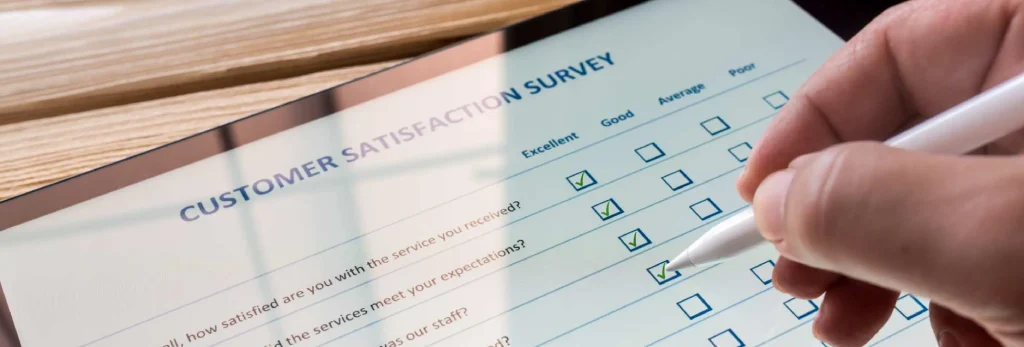
Traditionally, digital forms have been used to request information, manage administrative documents, perform inspections and audits, prepare inventories or manage purchases, among other things. Typically, these forms were in paper format and distributed physically. Once all the information was collected, companies had to deal with a large amount of data that had to be reviewed and processed, making it a long and complicated process.
Today, all this has changed with the advent of digital forms, electronic versions of the paper form, which can be completed on a computer or mobile device and allow companies to collect information quickly and accurately.
- Why use digital forms?
- 1. Encourage mobility
- 2. Remove the paper
- 3. Access to real-time information
- 4. Increase productivity
- 5. Improve the flow of information
- 6. Security and access control
- 7. Integration with other systems
- 8. User Experience (UX) and Responsive Design
- 9. Real-time data validation
- 10. Cost savings
- FIELDEAS Forms, the solution to start using digital forms
Why use digital forms?
Digital forms aim to obtain data in the field through an app on a mobile device or tablet, such as our FIELDEAS Forms solution, which is perfect for creating and implementing intelligent forms in an agile and intuitive way, in addition to being 100% paperless.
If you are considering the option of using digital forms, in this article we tell you the main reasons you should take into account to consider using digital forms in your business.
1. Encourage mobility
Much of the information generated in a company is generated in the field. The amount varies depending on the type of company and the sector in which it operates, but it is normal for a company that provides services to generate more data and documentation in the field than a business that manufactures and sells consumer goods.
But these companies that produce and market receive services from suppliers, something that also generates field data that often cannot be accessed by the company. However, thanks to the flexibility of digital forms, organizations can obtain field data for both those who provide the service and those who receive it.
2. Remove the paper
We are in an era in which more and more companies are opting to eliminate paper and be 100% paperless. It is an inefficient use and physical documents have many disadvantages over digital ones: they can be lost, they have to be moved from one place to another, often what is written is not understood and it is a slower process.
In addition to the direct economic savings, the elimination of paper contributes significantly to sustainability, reducing the company’s carbon footprint by reducing the demand for natural resources such as trees, water and energy used in the production and transportation of paper.
With digital forms, data is collected on a mobile device, information is securely stored in the cloud, often with data encryption to protect sensitive information, and can be handled much more easily.
With just a cell phone and a tablet, you have all the data at your fingertips, eliminate the use of paper and contribute to a more sustainable planet.
3. Access to real-time information
With paper forms all documents generated had to be moved from one place to another in a costly and unproductive process.
However, with smart forms this does not happen, at any time you can access them and all the information that has been collected. This is undoubtedly something very positive for companies and generates value in the departments where it is used. For example, you can have instant access to reports, reports, notifications or information flows.
4. Increase productivity
With the emergence of mobile devices, productivity has increased exponentially. In fact, according to studies conducted by Mobile Helix, with the use of these devices, companies can improve their productivity by more than 40%.
Thus, this study supports the use of digital forms as an important source of efficiency over traditional paper forms.
5. Improve the flow of information
Collecting data on paper means that they have to be processed by a person to see if they are useful, and then transferred to digital format, one by one.
In the case of smart forms, the data is already accessible as soon as it is collected and can be processed to send by e-mail, generate a PDF report or even be integrated into other applications. Thanks to this, the information flows from the first moment it is entered into the form.
6. Security and access control
One of the key advantages of digital forms is the greater security they offer compared to paper forms.
Physical documents are susceptible to loss, theft, damage or even tampering. Digital forms, on the other hand, offer multiple layers of protection:
- Data encryption. Information collected through digital forms can be encrypted, which means that it becomes an unreadable code for anyone who does not have the decryption key. This protects sensitive information, such as personal or financial data, both in transit and at rest.
- Auditing and traceability. Digital forms can keep a detailed record of all activities performed, including who accessed what information, when and what actions were taken. This facilitates auditing and traceability, which is especially important for complying with data protection regulations and standards.
7. Integration with other systems
One of the greatest advantages of digital forms is their ability to integrate with other enterprise systems, such as CRM, ERP, TMS, WMS, CMMS, MES, databases and other applications. This integration offers numerous benefits:
- Process automation. Data collected through digital forms can be automatically sent to other systems, automating tasks that were previously performed manually, such as data entry. This saves time, reduces errors and increases efficiency.
- Improved workflow. Integration between systems facilitates the flow of information between different departments and company processes. For example, new customer information captured on a form can be automatically sent to the CRM, the sales department and the billing department.
- Advanced data analysis. By integrating data from the forms with other systems, you can perform more complete analysis and obtain valuable information for decision making. Reports can be generated, trends can be identified and a deeper insight into the business can be gained.
8. User Experience (UX) and Responsive Design
Good digital form design is crucial to ensure a high completion rate and the quality of the data collected. Forms should be intuitive, easy to use and adaptable to different devices (computers, tablets, smartphones), known as responsive design. A good UX implies:
- Clarity and conciseness. Clear and concise questions, with clear instructions and simple language.
- Responsive design. A design that adapts to different screen sizes and devices.
9. Real-time data validation
Digital forms allow data validation in real time, which helps to prevent errors and ensure the quality of the information collected. Validation rules can be implemented for:
- Data formatting. Ensure that the data entered is formatted correctly (e.g. telephone numbers, e-mail addresses, dates).
- Required fields. Make sure that the required fields are completed before submitting the form.
- Value ranges. Ensure that the values entered are within a valid range (e.g. ages, quantities).
10. Cost savings
In addition to paper savings, digital forms offer other important cost savings:
- Printing and distribution costs. Costs associated with printing, mailing and storing paper forms are eliminated.
- Labor costs. Time spent on manual forms management and processing is reduced, freeing up resources for other tasks.
- Error reduction. Real-time data validation and process automation help reduce errors and the costs associated with error correction.
FIELDEAS Forms, the solution to start using digital forms
More and more companies are deciding to go digital and work through apps and mobile devices for their field work. Choosing an experienced company to help them create the perfect solution is the best option, and at FIELDEAS we are specialists in this.
Thanks to FIELDEAS Forms digital forms software, the company generates its own customized templates to control records, audits, inventories or checklists and assign them depending on the workflow. You will be able to receive, collect and send all the information captured instantly by workers, taking advantage of all the features of mobile devices.
It is a great tool that helps to minimize administrative time and reduce the time of transferring data on paper. You will be able to control in real time all the actions that are carried out, being able to share and integrate it with other areas of the company.
Ultimately, the benefits of digital forms are many, and the flexibility of FIELDEAS Forms is perfect for it to be the solution of choice for your company.